


- Joined
- Dec 10, 2007
- Messages
- 113
- Reaction score
- 104
- Points
- 193
With the summer season just around the corner, we are sure that everyone's excited to just lie around and bask under the glorious heat of the sun.
To add more to your excitement (hopefully), we are going to highlight another feature of our new and improved TEG platform.
Ladies and gents, we would like to re-introduce you to the "Drag & Drop Uploading" feature.
What is the Drag & Drop Uploading feature?
The Drag & Drop Uploading feature lets you upload a picture or image in the TEG system by simply dragging and dropping the image from your computer's Documents folder to the TEG message window. It saves you the time and effort to click the "Upload File" and browse/search for the file manually. However, your browser must be able to support this feature in order for you to use this.
So, here is how you can do it:
1.) Choose the image in your file that you want to upload
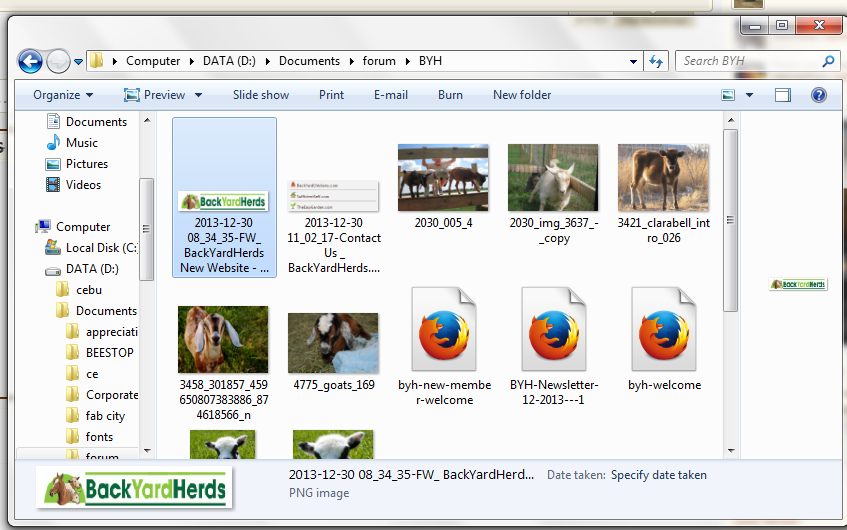
2.) Drag the image to your browser and drop it in the editor window.
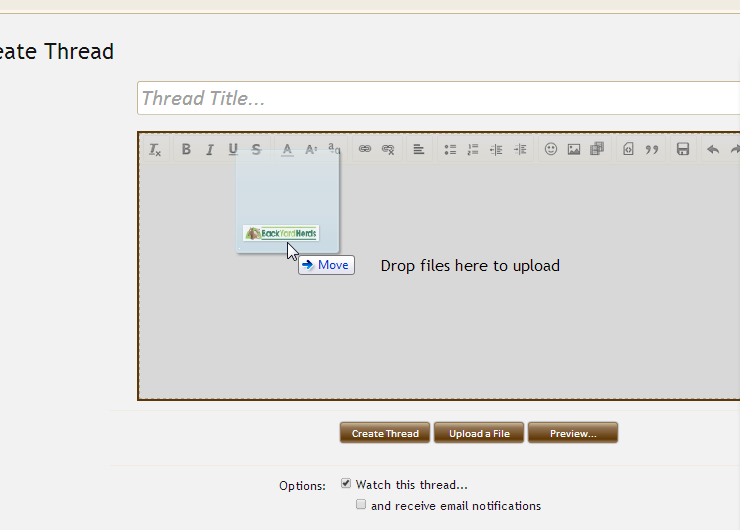
3.) Make sure the filename of the image is less than 100 characters or this error will appear.
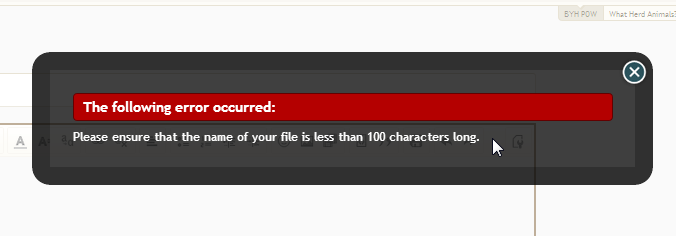
4.) After a few seconds, the image that you had just uploaded will now appear as an attached file.
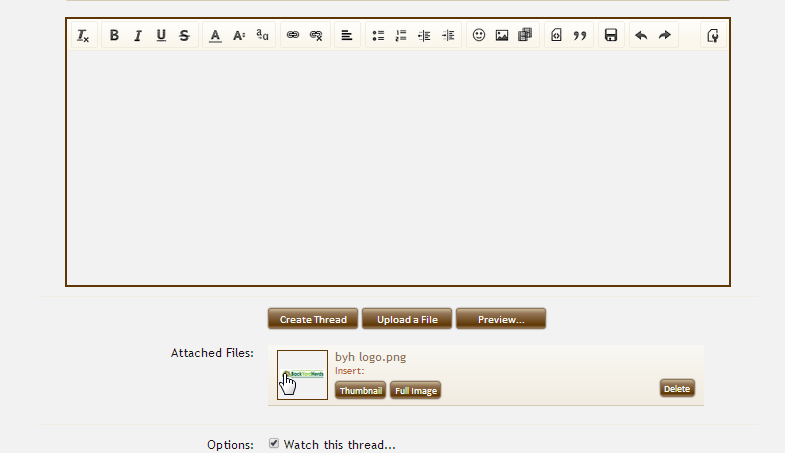
5.) Click "Full Image" to make your image appear in the editor window.
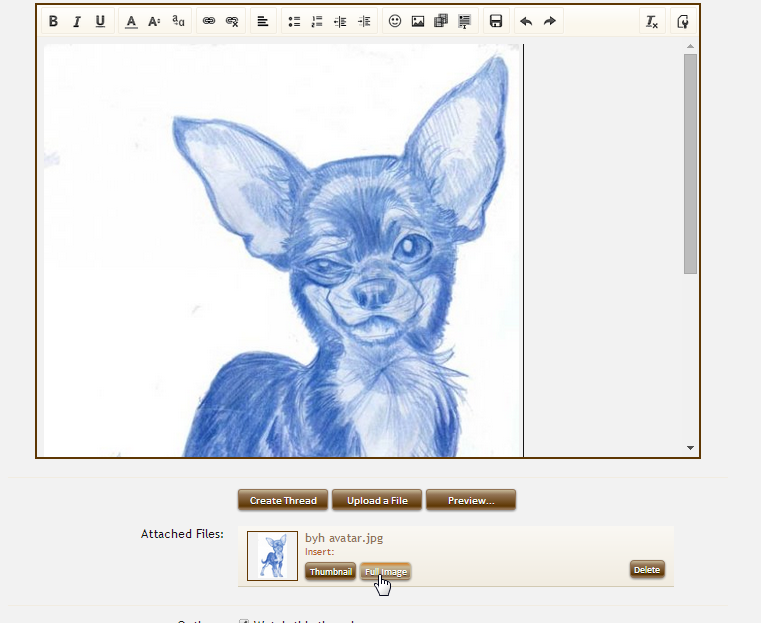
It's that simple guys.
P.S. Here's a tutorial on how to use the "Upload a File". You will surely enjoy the embedded instructional video here: http://www.theeasygarden.com/threads/how-to-upload-pictures-attachments-images.14554/
So, is the Drag & Drop Feature working for you? Try it out by replying to this thread with a picture of your garden!
To add more to your excitement (hopefully), we are going to highlight another feature of our new and improved TEG platform.
Ladies and gents, we would like to re-introduce you to the "Drag & Drop Uploading" feature.
What is the Drag & Drop Uploading feature?
The Drag & Drop Uploading feature lets you upload a picture or image in the TEG system by simply dragging and dropping the image from your computer's Documents folder to the TEG message window. It saves you the time and effort to click the "Upload File" and browse/search for the file manually. However, your browser must be able to support this feature in order for you to use this.
So, here is how you can do it:
1.) Choose the image in your file that you want to upload
2.) Drag the image to your browser and drop it in the editor window.
3.) Make sure the filename of the image is less than 100 characters or this error will appear.
4.) After a few seconds, the image that you had just uploaded will now appear as an attached file.
5.) Click "Full Image" to make your image appear in the editor window.
It's that simple guys.
P.S. Here's a tutorial on how to use the "Upload a File". You will surely enjoy the embedded instructional video here: http://www.theeasygarden.com/threads/how-to-upload-pictures-attachments-images.14554/
So, is the Drag & Drop Feature working for you? Try it out by replying to this thread with a picture of your garden!
Last edited:





 Why is this computer stuff so hard for me?
  I must be the least computer savvy here on TEg.
  Is there a prize for that?

 are those all tomatoes?


